
Tabs your way
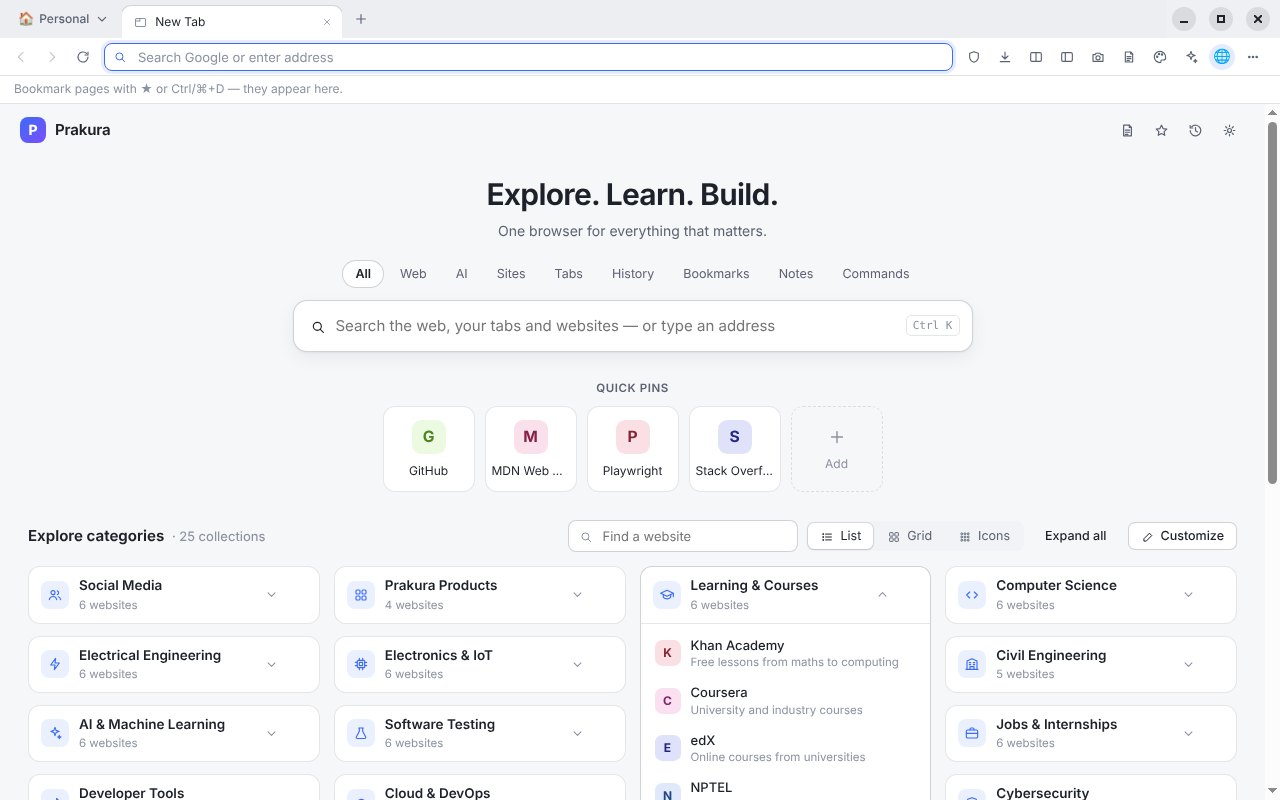
Horizontal or vertical tabs, groups and workspaces. Pinned tabs get a short name and a colour. Ctrl+Tab goes back to the tab you used last.
Desktop browser · built on Chromium
Tabs that stay organised, notes beside every page, a theme for every mood — and an AI assistant that only sees what you choose to share.
These are features of the current build — nothing here is a promise.
Horizontal or vertical tabs, groups and workspaces. Pinned tabs get a short name and a colour. Ctrl+Tab goes back to the tab you used last.
Put two, three or four tabs side by side, stacked or in a grid. Resize, swap, maximise — and it’s all still there after a restart.
A workspace for each purpose — Law Study, Coding, Research, Exam Preparation — with its own tabs, notebook, theme and focus level.
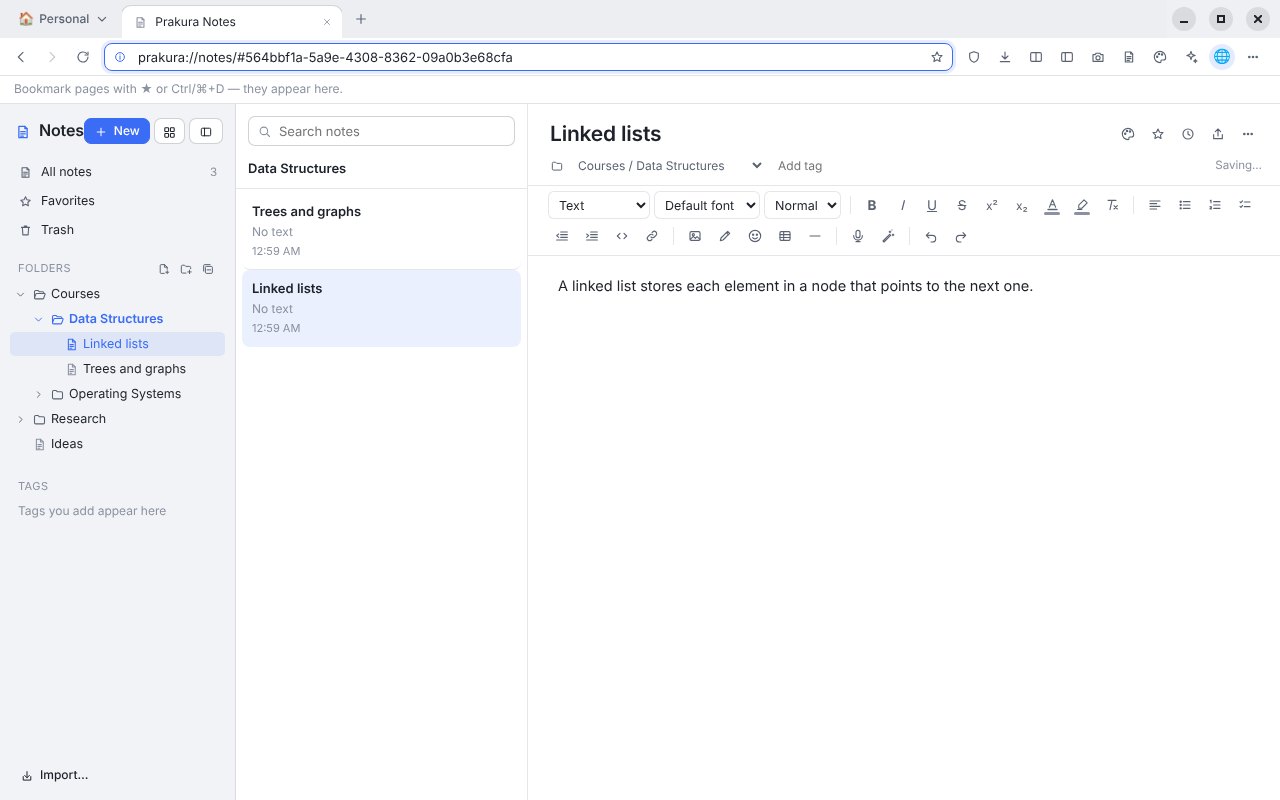
A rich editor beside every page: folders inside folders, templates, a drawing canvas, web clippings and screenshots. Export to Word, PowerPoint, PDF or Markdown.
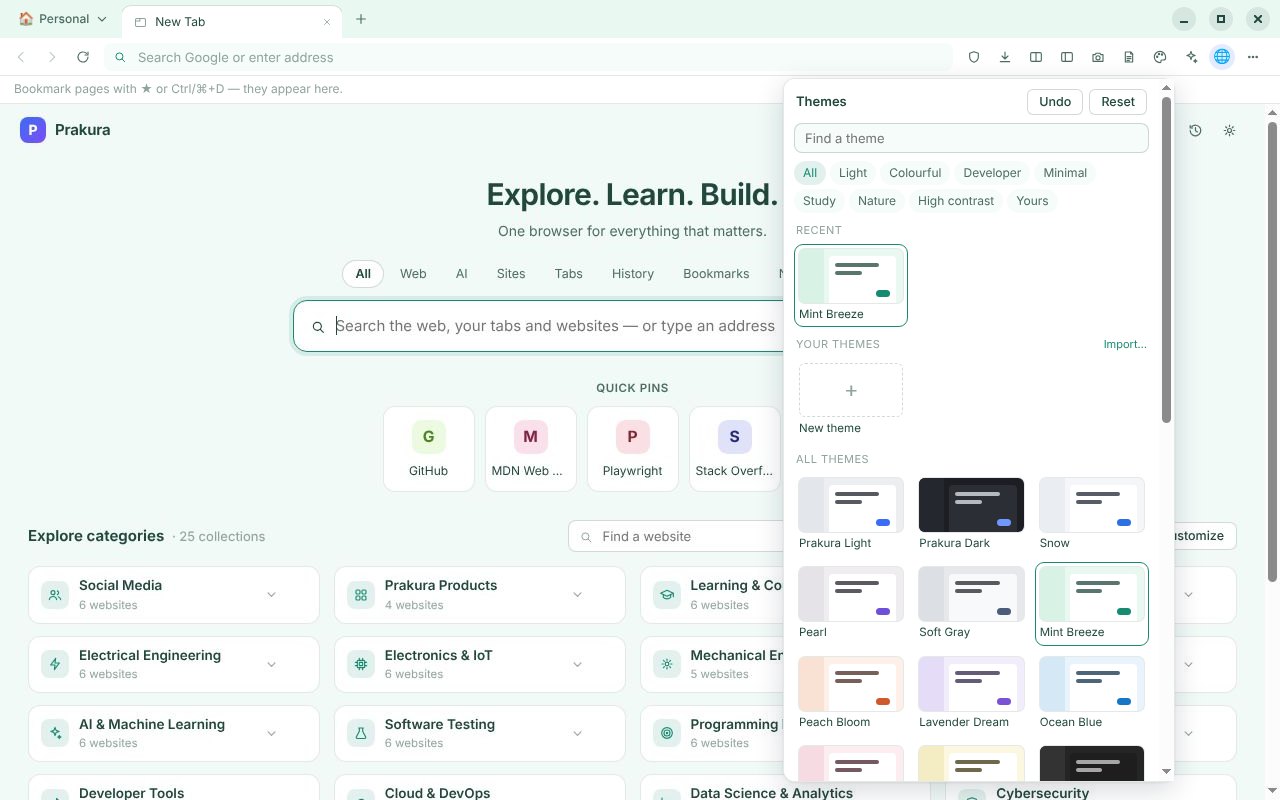
55 themes — wallpaper themes like Aurora and Alpine, Mint Breeze and Warm Paper, Dark+, Dracula and Nord styles, high contrast — or make your own, with a day and a night theme if you like. Every theme is checked so text stays readable.
Search the web, your tabs, history, bookmarks and notes from one box, with Quick Pins and a directory of 25 categories. Backgrounds follow your theme.
Your browsing stays on your computer. No account is needed.
An AI sidebar and an AI Hub that work with your organisation’s Prakura AI gateway — or with your own Claude, GPT or Gemini API key.
Loading the release list…
It’s built on Chromium, the open-source project that Chrome and other browsers are also built on, through Electron. Prakura Browser is not made by or affiliated with Google.
No. Your history, bookmarks, notes and settings stay on your computer. Separate profiles and a guest window are built in.
No browsing data is sent to Prakura. The AI assistant only receives what you type and the pages you choose to share, and only the AI service you set up receives them.
Those your organisation’s Prakura AI gateway offers, or Claude, GPT and Gemini with an API key from your own account at Anthropic, OpenAI or Google. A ChatGPT, Claude or Gemini app subscription is not an API key; API use is billed by the provider.
Not yet. Prakura Browser is a desktop browser for macOS, Windows and Linux.
Each installer listed above has its SHA-256 checksum. Compare it with the one your computer calculates — on macOS or Linux run shasum -a 256 <file>, on Windows Get-FileHash <file> in PowerShell.